WordStar for the 21st century.
The WordStar 7 experience on a modern Mac, with modern conveniences and without losing what made WordStar special. No ribbon, no toolbars, no subscription and no AI assistant. You open a document and get on with your writing.
Free and open source under the AGPL-3.0. Still Beta, and in daily use by its maintainer.
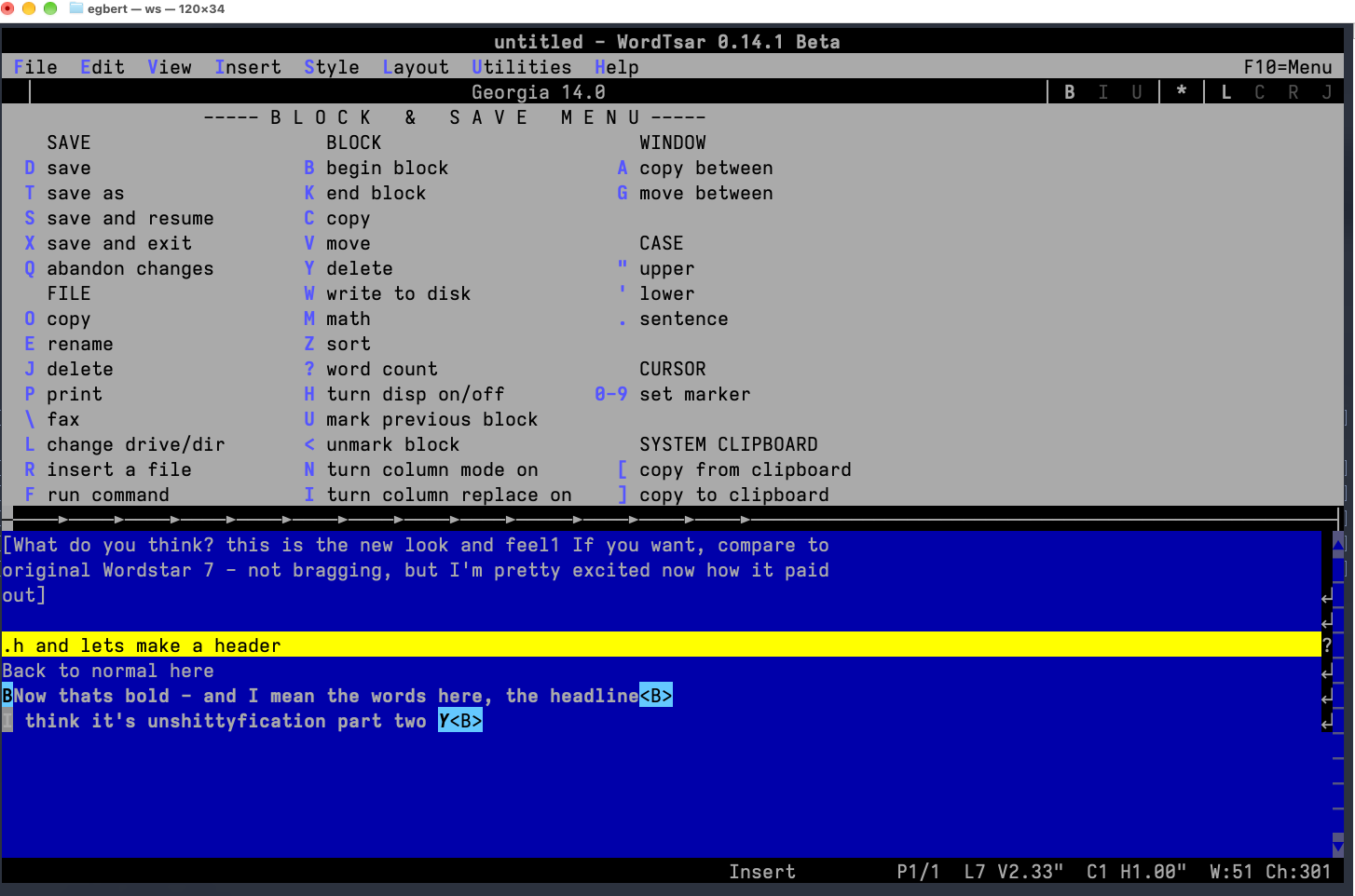
Two ways to write
Both versions are built from the same source, open and save the same files, and share one editing engine. Install whichever you prefer, or both.
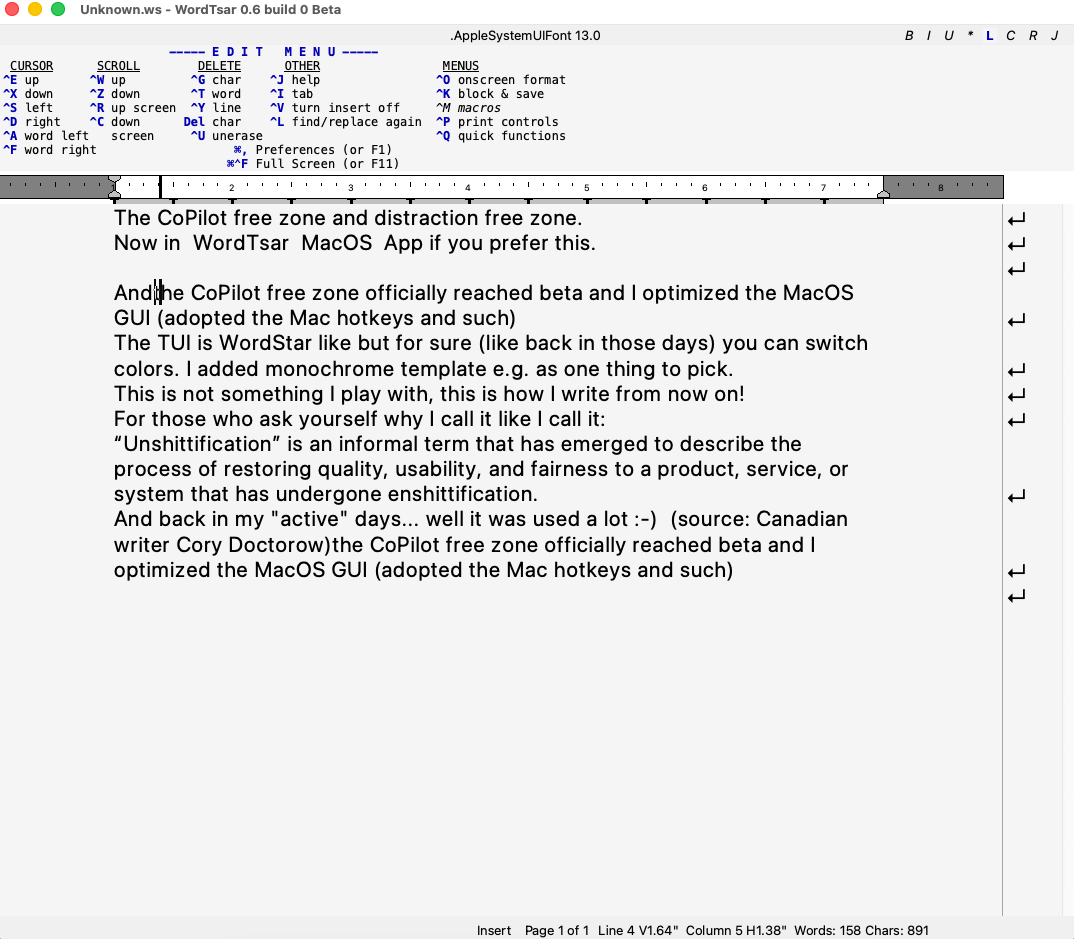
WordTsar.app
The Mac app. Mac shortcuts such as ⌘, for Preferences work alongside the WordStar keys.
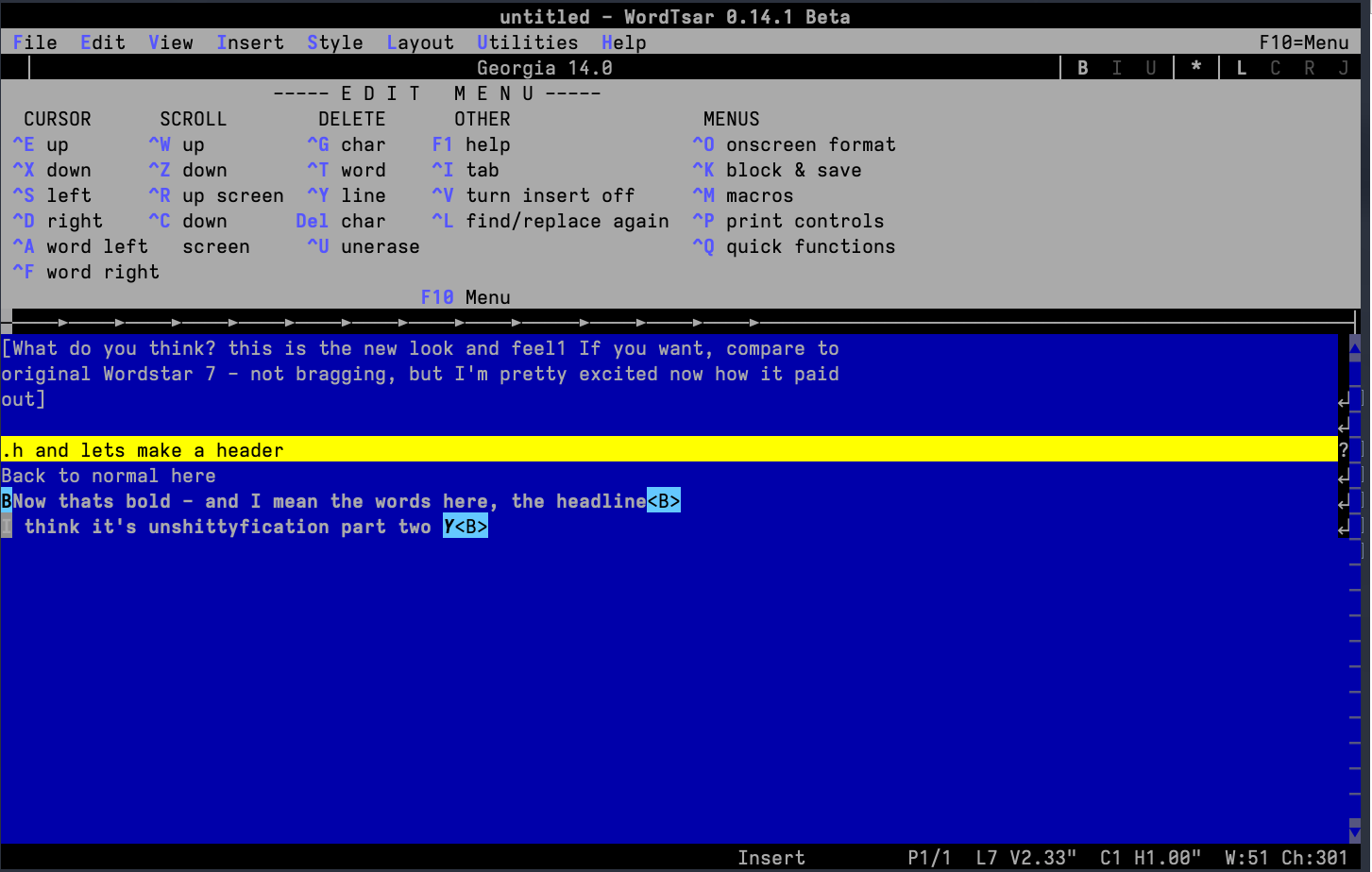
ws
The terminal version, for writing with no window chrome at all. Pick the WordStar 7 colours under System Preferences.
What it does
- Tested
- Checked against about 900 original WordStar 7 documents from Robert J. Sawyer’s archive: each must open and save again without losing anything.
- Opens
- WordStar 4 and WordStar 7 files, plus RTF and Word (.docx).
- Saves
- WordStar 7, RTF and Word (.docx).
- Keys
- The WordStar 7 commands you already know: ^KD saves, ^KB and ^KK mark a block, ^QF finds. Prefer copy, paste and undo the modern way? Switch to Modern mode in System Preferences.
- Help
- Press F1, then any command, for a one-line description of what it does. The one-page quick reference is itself a WordStar document: open it in WordTsar.
- Backups
- A WordStar-format backup of your file every minute.
- Spelling
- Uses any dictionary installed in macOS, not just English.
- Text
- Unicode 16, stored as UTF-8.
Not there yet: Word import brings over text, character formatting and basic page setup, but not tables, numbered lists, images, headers or footers. The full list of changes is in the release history.
Install
- Download
WordTsar.zipfrom the latest release, unzip it, and moveWordTsar.appto your Applications folder. - Open WordTsar once. macOS blocks it because it isn’t notarized by Apple. Click Done.
- Open System Settings → Privacy & Security, scroll to Security, and click Open Anyway next to WordTsar. Confirm with your password or Touch ID.
On macOS 14 Sonoma and earlier, right-click WordTsar.app, choose Open, and confirm instead.
Comfortable in Terminal? xattr -dr com.apple.quarantine /Applications/WordTsar.app does the same. You may need to repeat this after installing a new release.
Credit where it belongs
WordTsar is Gerald Brandt’s. He designed it, wrote it and has maintained it for years: the editing engine, the layout and rendering, the WordStar 7 fidelity and the file formats. Nearly all the code here is his. He is also a novelist, and he writes his books in WordTsar.
This fork exists because I wanted that quiet place to write on one platform, with less to maintain. For Windows and Linux, use Gerald’s cross-platform project on SourceForge. wordtsar.ca is the project’s original home, with its history and forums.
This macOS fork isn’t endorsed by or affiliated with the upstream WordTsar project.
Report a problem
Found a bug or a missing command? Open an issue on GitHub and describe what you expected to happen.